


Visualizing Data and Building Machine Learning Demos with Streamlit on Hugging Face Spaces
Streamlit has emerged as a favorite among data scientists and machine learning practitioners for its simplicity in building interactive web applications. By combining Streamlit with Hugging Face Spaces, you can effortlessly visualize datasets and create stunning demos for your machine learning models. This article guides you through hosting your models and datasets while serving Streamlit applications on Hugging Face Spaces.
Building Demos for Your Models
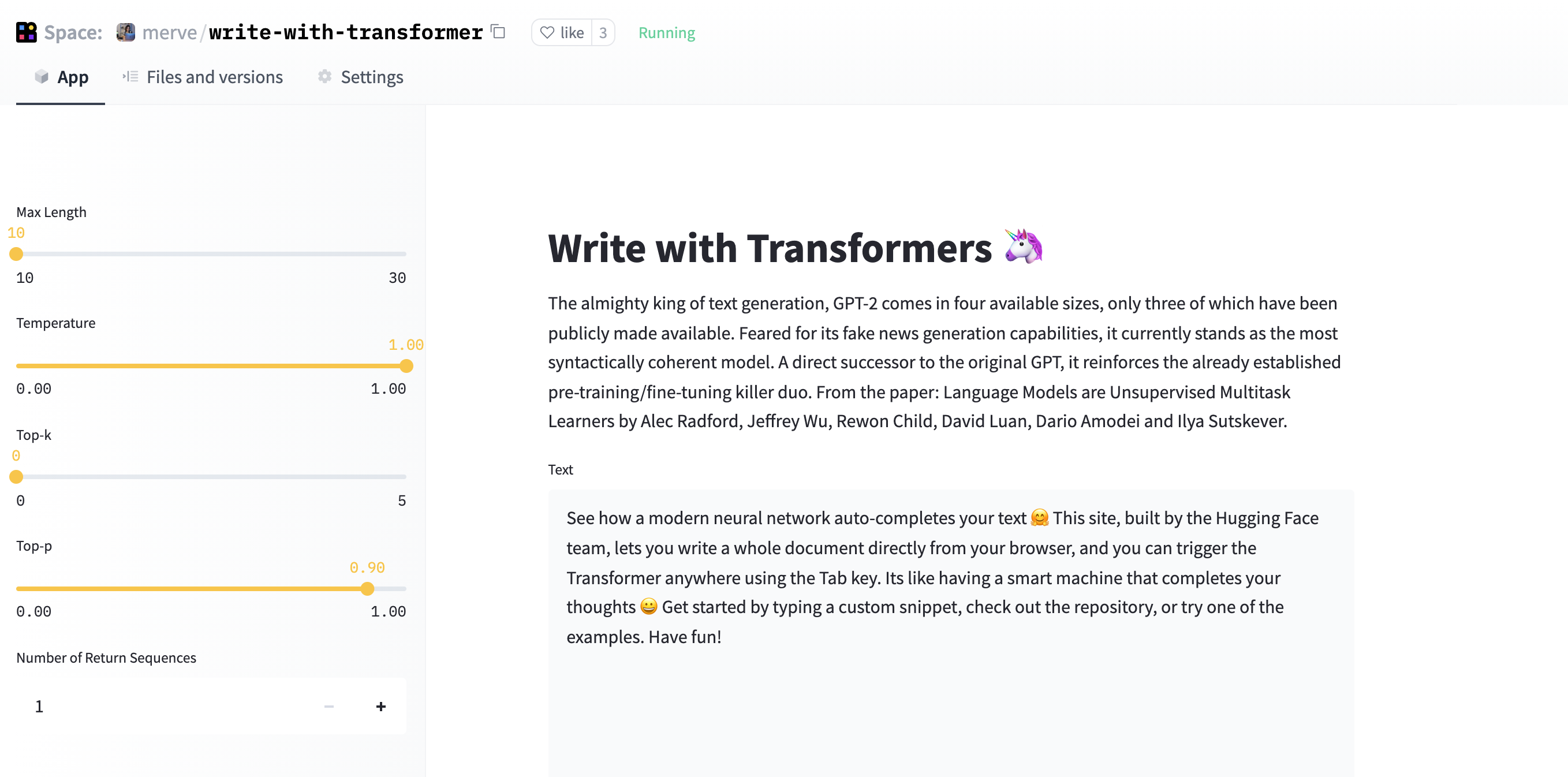
Imagine being able to load any Hugging Face model and create an intuitive user interface that allows users to interact with it. In this section, we will recreate "Write with Transformer," an application that leverages transformers like GPT-2 and XLNet to complete text.
To get started, you’ll need to understand a few essential components of Streamlit that make building such applications a breeze:
-
Text Area: The
.text_areacomponent creates an expansive input area for users to type sentences they want to be completed. -
Sidebar: Utilizing the
.sidebarmethod allows you to gather various hyperparameters from users conveniently. -
Slider: The
slidercomponent is perfect for accepting continuous values. Make sure to define a step value to avoid integer-only inputs. - Number Input: The
number_inputcomponent enables users to specify integer values easily.
Here’s a quick example of how to set up these components in your Streamlit app:
import streamlit as st

default_value = "Start writing your text here..."

sent = st.text_area("Text", default_value, height=275)
max_length = st.sidebar.slider("Max Length", min_value=10, max_value=30)
temperature = st.sidebar.slider("Temperature", value=1.0, min_value=0.0, max_value=1.0, step=0.05)
top_k = st.sidebar.slider("Top-k", min_value=0, max_value=5, value=0)
top_p = st.sidebar.slider("Top-p", min_value=0.0, max_value=1.0, step=0.05, value=0.9)
num_return_sequences = st.sidebar.number_input('Number of Return Sequences', min_value=1, max_value=5, value=1, step=1)
Once you have your input set up, you can easily display the generated output with:
More Read

st.write(generated_sequences[-1])This implementation effectively illustrates how users can interact with the model, making your application both functional and engaging.
You can find the complete code for this application on GitHub or the Hugging Face documentation.
Showcase Your Datasets and Data Visualizations
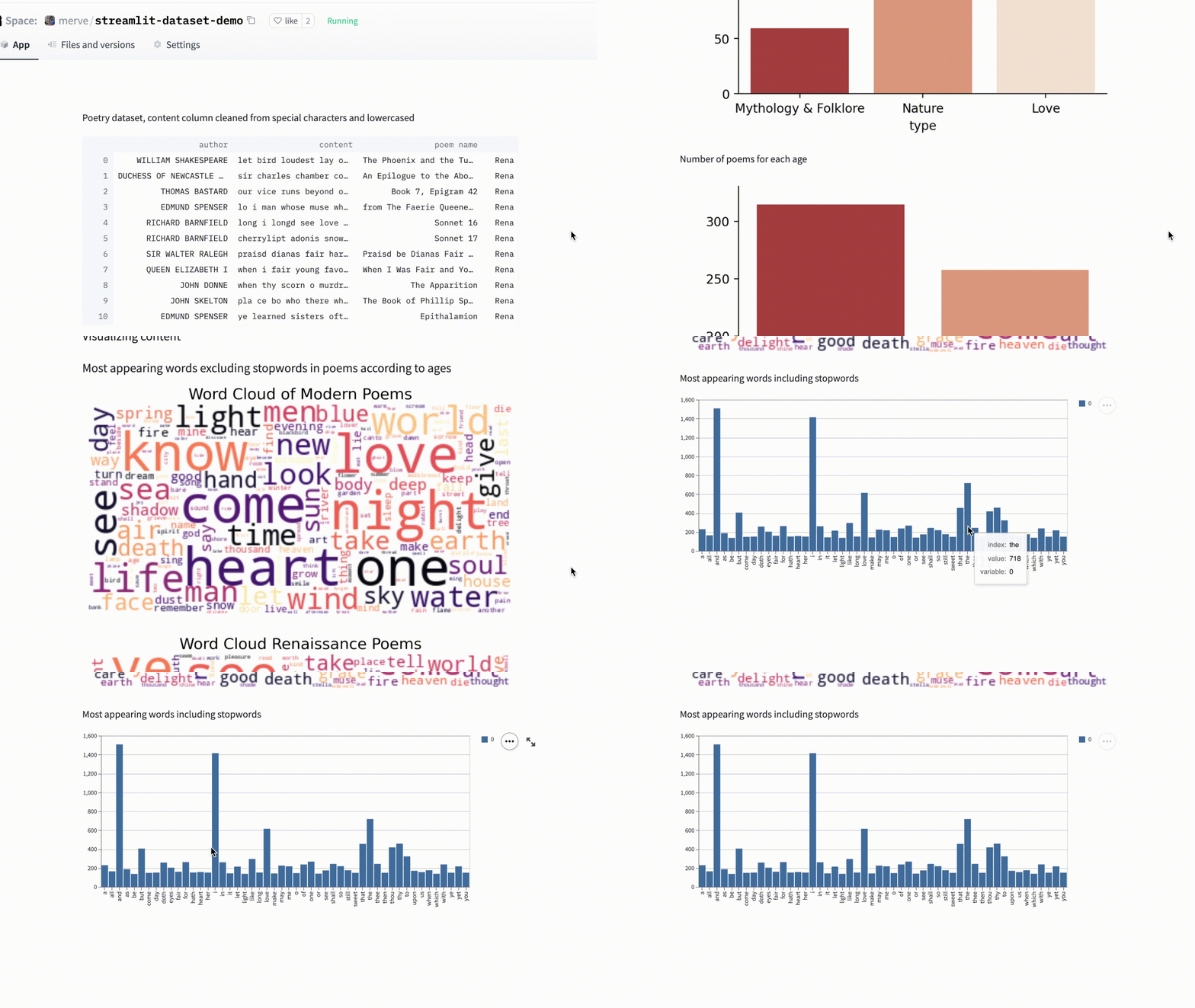
Visualizing data is crucial for understanding trends and patterns in datasets. Streamlit makes this process straightforward by integrating seamlessly with popular libraries like 🤗 Datasets, pandas, matplotlib, seaborn, and bokeh.
To illustrate, let’s load a dataset using the load_dataset function from Hugging Face:
from datasets import load_dataset
import streamlit as st
import pandas as pd

dataset = load_dataset("merve/poetry", streaming=True)
df = pd.DataFrame.from_dict(dataset["train"])
Once you have your data in a DataFrame, displaying it is as simple as using:
st.dataframe(df)For visualizations, you might want to use Streamlit components like st.bar_chart() to create interactive plots. Here’s how you can visualize the most common words in your data:
st.write("Most appearing words including stopwords")
st.bar_chart(words[0:50])
If you prefer to use libraries like matplotlib or seaborn, simply end your plotting script with:
st.pyplot()This allows you to display complex visualizations with ease.
st.write("Number of poems for each author")
sns.catplot(x="author", data=df, kind="count", aspect=4)
plt.xticks(rotation=90)
st.pyplot()
With these tools at your disposal, you can create interactive bar charts and data visualizations that enhance user engagement and understanding.
Hosting Your Projects in Hugging Face Spaces
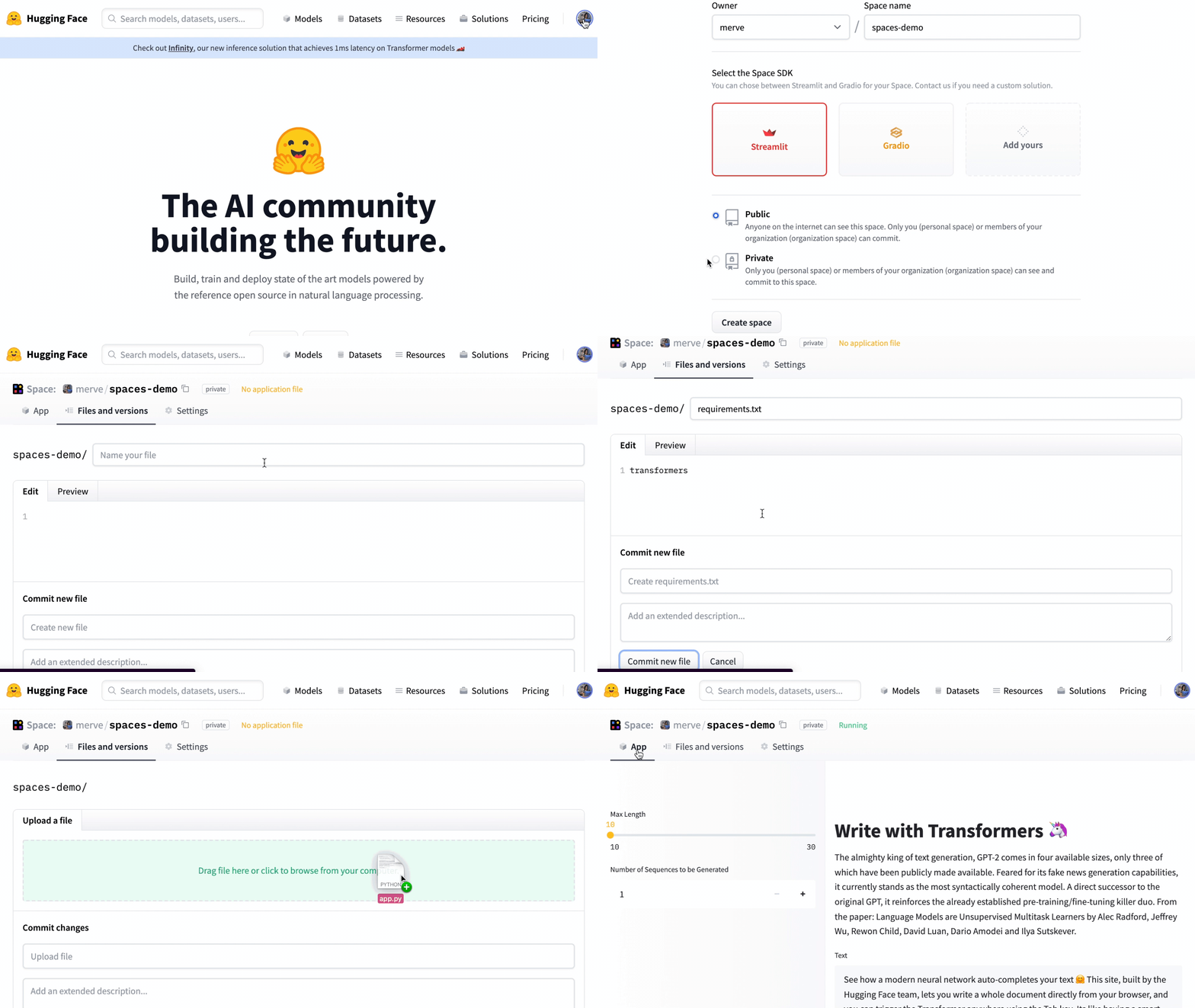
Once you’ve developed your Streamlit application, hosting it on Hugging Face Spaces is a breeze. You can drag and drop your files into the platform, ensuring all your dependencies are included in a requirements.txt file. It’s essential to maintain the same version of Streamlit locally and on Hugging Face for optimal performance.
By leveraging the capabilities of Streamlit and Hugging Face, you can bring your machine learning models to life, share your datasets, and provide interactive visualizations, all within an elegant and user-friendly interface. Dive into this exciting world and start showcasing your projects today!
Inspired by: Source


