


Unlocking the Power of Machine Learning Demos with Gradio
Machine Learning (ML) projects can often feel complex and intimidating, especially when it comes to demonstrating their capabilities. However, with Gradio, showcasing your ML models has never been easier. In this article, we will explore how Gradio integrates seamlessly with Hugging Face, allowing you to create interactive demos with just a few lines of code. We’ll also delve into how you can utilize Hugging Face Spaces to host demos of your own models, making sharing your work with the community straightforward and efficient.
Hugging Face Hub Integration in Gradio
Gradio’s integration with the Hugging Face Hub is a game-changer for developers looking to demonstrate their models. With Gradio, you can set up an interactive interface for any model hosted on Hugging Face with minimal effort. Here’s how you can do it:
-
Define the Interface: You need to specify three key components:
- The repository ID of the model you wish to use.
- A clear description and title for your demo.
- Example inputs that will guide your audience on how to interact with the model.
- Launch the Demo: After defining your interface, simply call the
.launch()method, and your demo will be live. This can be done in Google Colab for quick testing, but if you want to share it widely, Hugging Face Spaces is the perfect platform.
Example Code to Launch Your Model
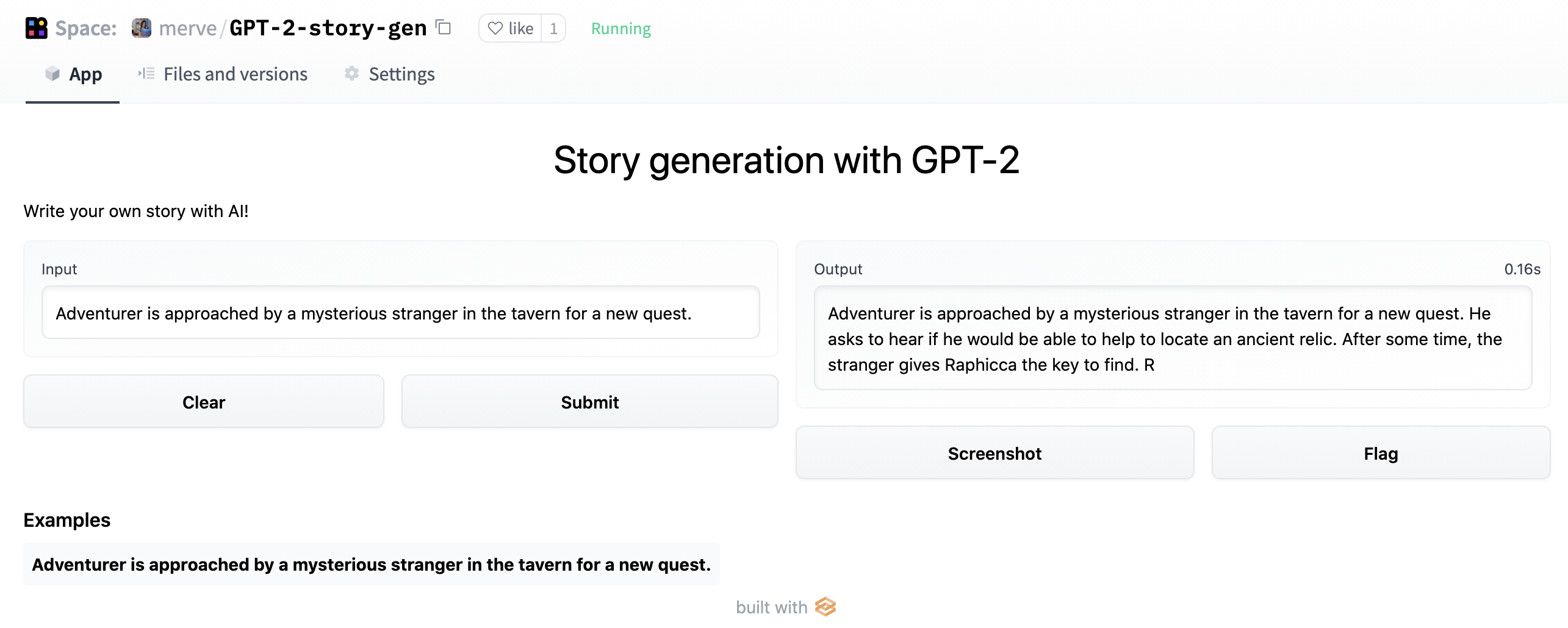
Here’s a simple example of how to create a story generation demo using the GPT-2 model:
import gradio as gr

description = "Story generation with GPT-2"
title = "Generate your own story"
examples = [["Adventurer is approached by a mysterious stranger in the tavern for a new quest."]]

interface = gr.Interface.load("huggingface/pranavpsv/gpt2-genre-story-generator",
                                description=description,
                                examples=examples)

interface.launch()
With this code, you can generate stories based on the provided prompts. You can try it out here.
More Read

Gradio operates by calling the Inference API, which supports various ML frameworks like Transformers, spaCy, SpeechBrain, and Asteroid. This integration allows different model types, including image-to-text, speech-to-text, and text-to-speech.
Using BigGAN for Image Generation
You can also leverage Gradio to create a demo for a BigGAN image generator. Here’s how:
import gradio as gr

description = "BigGAN text-to-image demo."
title = "BigGAN ImageNet"
interface = gr.Interface.load("huggingface/osanseviero/BigGAN-deep-128",
                                description=description,
                                title=title,
                                examples=[["american robin"]])

interface.launch()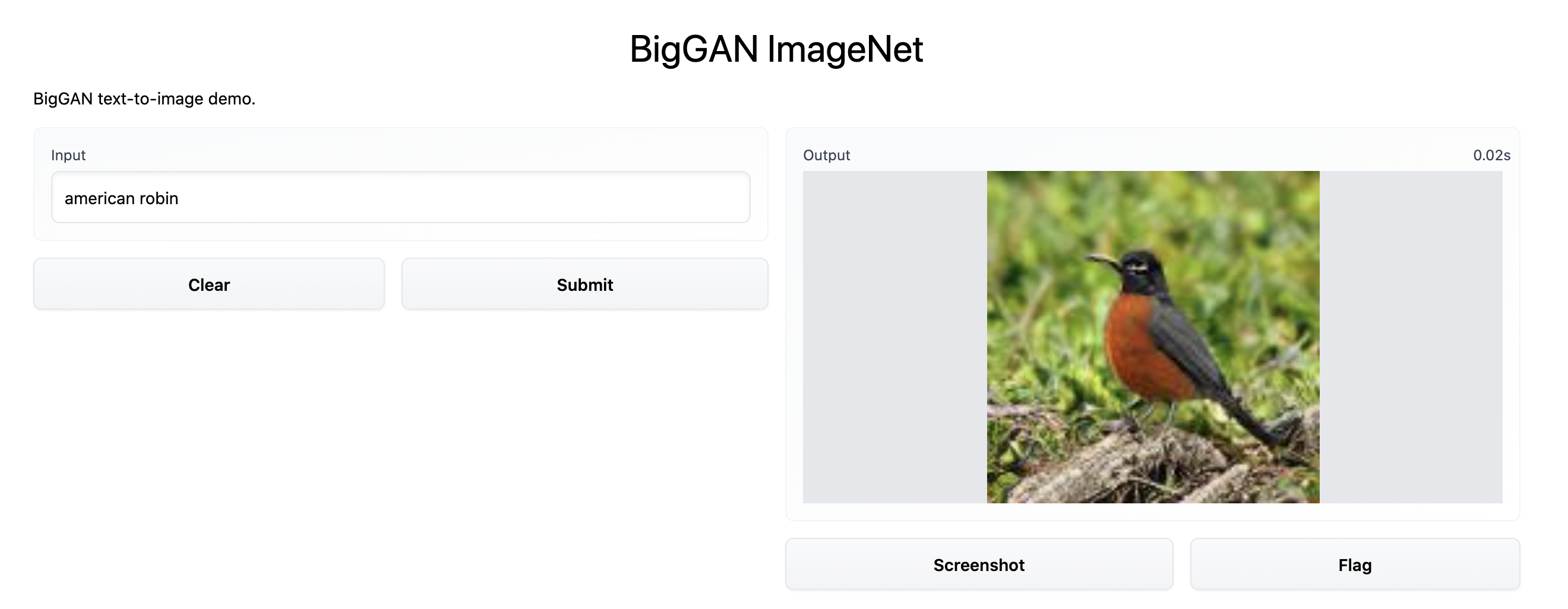
Serving Custom Model Checkpoints in Hugging Face Spaces
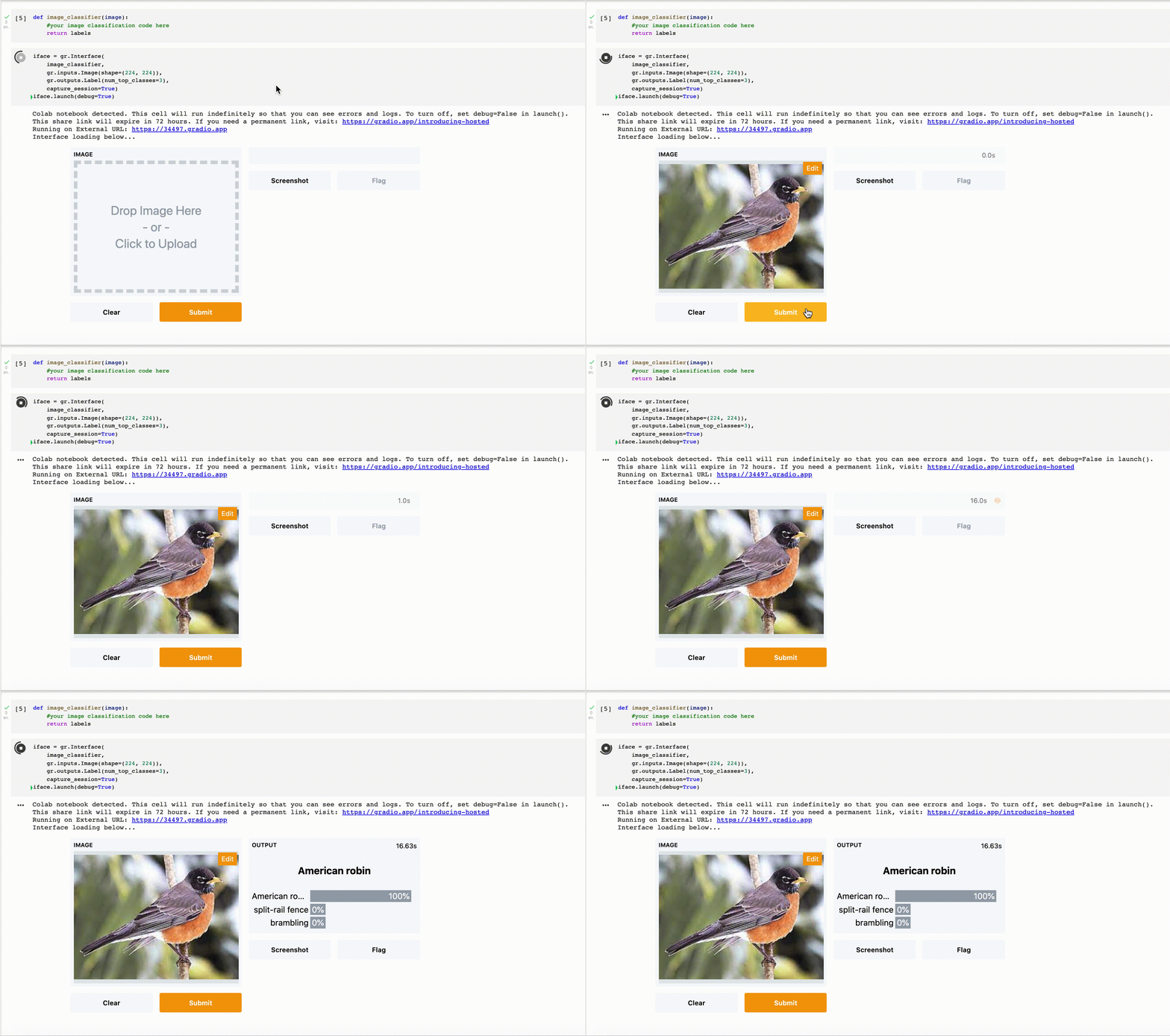
Even if your model isn’t supported by the Inference API, you can still serve it using Gradio in Hugging Face Spaces. By wrapping your model inference in a Gradio Interface, you can create a demo that others can interact with.
Mix and Match Models with Gradio
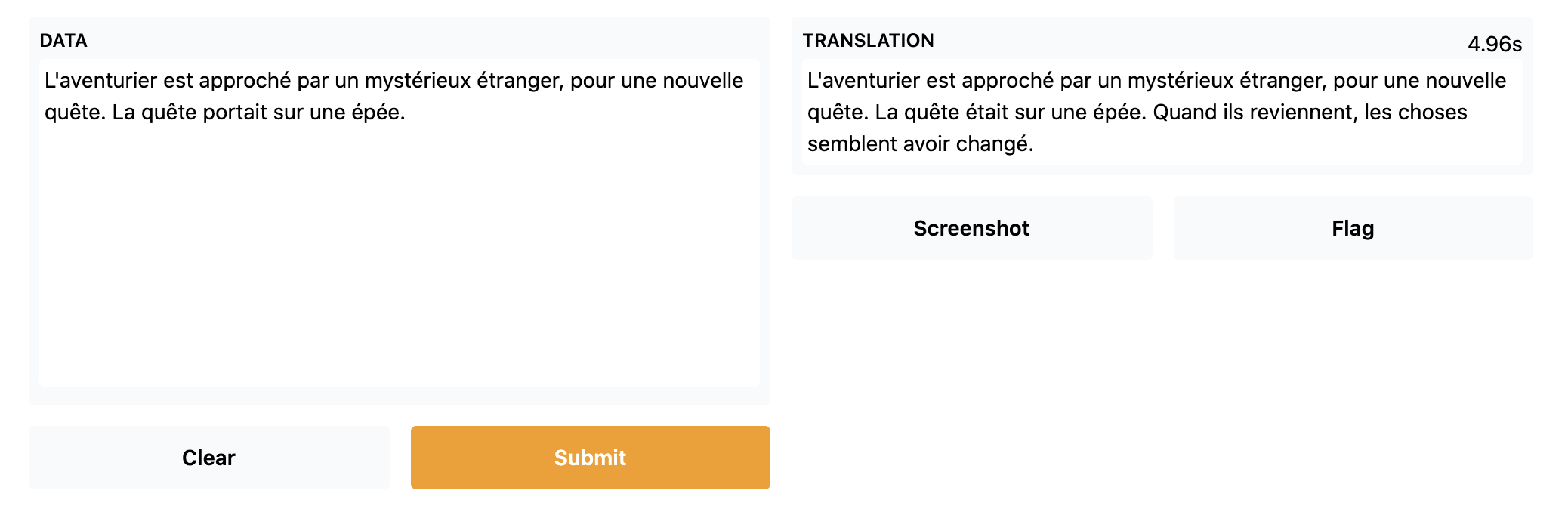
One of the most exciting features of Gradio is the ability to combine different models into a single workflow. For instance, you can create a French story generator by mixing a French-to-English translation model, a story generator, and an English-to-French translation model.
Here’s how you can implement this:
import gradio as gr
from gradio.mix import Series

description = "Generate your own D&D story!"
title = "French Story Generator using Opus MT and GPT-2"
translator_fr = gr.Interface.load("huggingface/Helsinki-NLP/opus-mt-fr-en")
story_gen = gr.Interface.load("huggingface/pranavpsv/gpt2-genre-story-generator")
translator_en = gr.Interface.load("huggingface/Helsinki-NLP/opus-mt-en-fr")
examples = [["L'aventurier est approché par un mystérieux étranger, pour une nouvelle quête."]]

Series(translator_fr, story_gen, translator_en, description=description,
       title=title,
       examples=examples, inputs=gr.inputs.Textbox(lines=10)).launch()
You can check out the French Story Generator here.
Uploading Your Models to Hugging Face Spaces
Hosting your ML demos in Hugging Face Spaces is simple and straightforward. To get started, create a new Space, then simply drag and drop your demo files or utilize Git for version control. This method allows you to easily share your work with others and collaborate on projects.
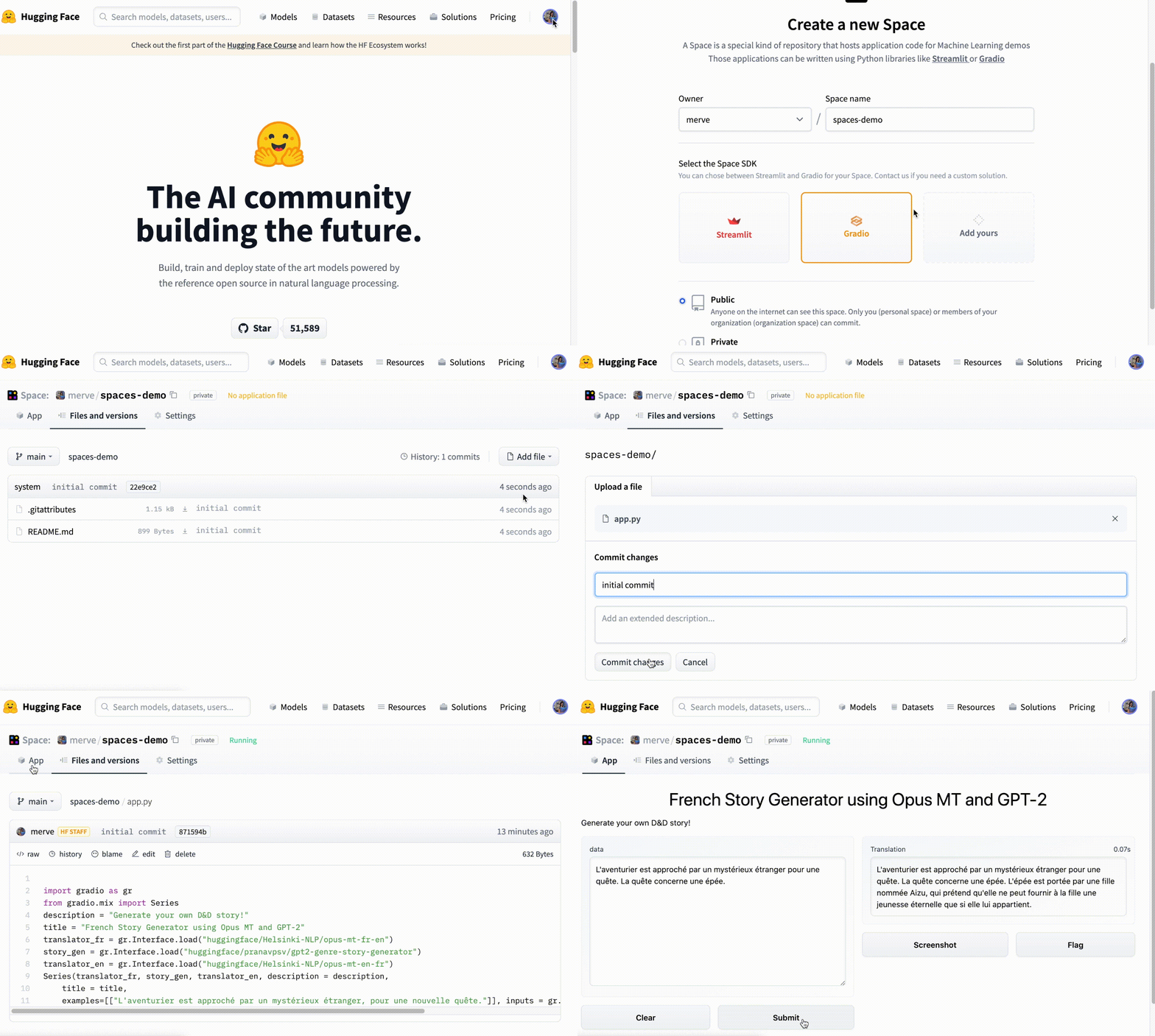
Easily build your first demo with Hugging Face Spaces and share your innovative ML applications with the world!
By utilizing Gradio and Hugging Face, you can efficiently showcase your machine learning models and engage with a community of enthusiasts and developers. Whether you’re generating stories, creating images, or combining various models, the possibilities are endless.
Inspired by: Source


