


Unlocking the Power of Locally Hosted AI Models: A 2026 Perspective
The Shift Towards Local AI Model Deployment
Proprietary AI models, while impressive, often lack the flexibility many users need for specific tasks. That’s where locally hosted models come into play. In an era where privacy and control are paramount, running AI on your hardware allows for unparalleled configurability tailored to individual requirements. Tools like Ollama and LM Studio have emerged as vital facilitators, enabling efficient, on-device operations with various capable models.
- The Shift Towards Local AI Model Deployment
- 1. Llama 3.1 8B Instruct: Your General-Purpose Baseline
- 2. Qwen2.5 7B: Tailored for Multilingual Processes
- 3. Mistral 7B Instruct v0.3: A Choice for Everyday Writing
- 4. Gemma 4 E2B / E4B: Multimodal Magic for Smaller Devices
- 5. Phi-4-mini: Optimized for Memory Constraints
- Installing Local Models Using Ollama
- Frequently Asked Questions
You might wonder, with so many options available, which models are truly worth installing on your system in 2026? In this article, we’ll take an in-depth look at five locally hosted LLMs that offer a robust balance of performance, configurability, and versatility for different user needs.
1. Llama 3.1 8B Instruct: Your General-Purpose Baseline
Llama 3.1 8B Instruct serves as an excellent starting point for tasks such as local chat, summarization, and document classification. Known for its compatibility with a vast array of applications, this model is the go-to baseline when you require a reliable solution with widespread tooling support. It’s built on the Llama Community License, facilitating flexibility, but remember to check the terms if you plan on redistribution.
Use Cases: General conversations, drafting, and fine-tuning projects.
2. Qwen2.5 7B: Tailored for Multilingual Processes
More Read

When it comes to multilingual interactions, Qwen2.5 7B truly shines. This model is versatile, with two versions available:
- Qwen2.5-7B-Instruct: Best suited for multilingual document processing and structured responses (like JSON).
- Qwen2.5-Coder-7B-Instruct: This variant is perfect for generating, explaining, or repairing code.
Use Cases: Multilingual text processing, document automation, and coding assistance.
3. Mistral 7B Instruct v0.3: A Choice for Everyday Writing
For those engaged in drafting and documentation tasks, Mistral 7B Instruct v0.3 offers a seven-billion-parameter twist on text generation. Designed to assist with rewriting, summarizing, and general chat, its instruction-tuned architecture makes it an ideal candidate for polishing rough drafts into professional-grade content.
This model also supports function calling, enabling effective integrations with tools your application may need. With an Apache 2.0 license, you’re free to customize it to fit your unique requirements.
Use Cases: Polished documentation, effective summarization, and chat automation.
4. Gemma 4 E2B / E4B: Multimodal Magic for Smaller Devices

Gemma 4 E2B/E4B stands out in the realm of multimodal capabilities. Accepting text, images, and audio, these models are perfect for a range of tasks including document inquiries and audio transcription. E2B and E4B versions cater to different needs, so consider:
- E2B: Approx. 5.1B parameters suitable for less demanding setups.
- E4B: Featuring 8B parameters for more robust requirements.
Use Cases: Document understanding, audio transcription, and interactive local assistants.
5. Phi-4-mini: Optimized for Memory Constraints
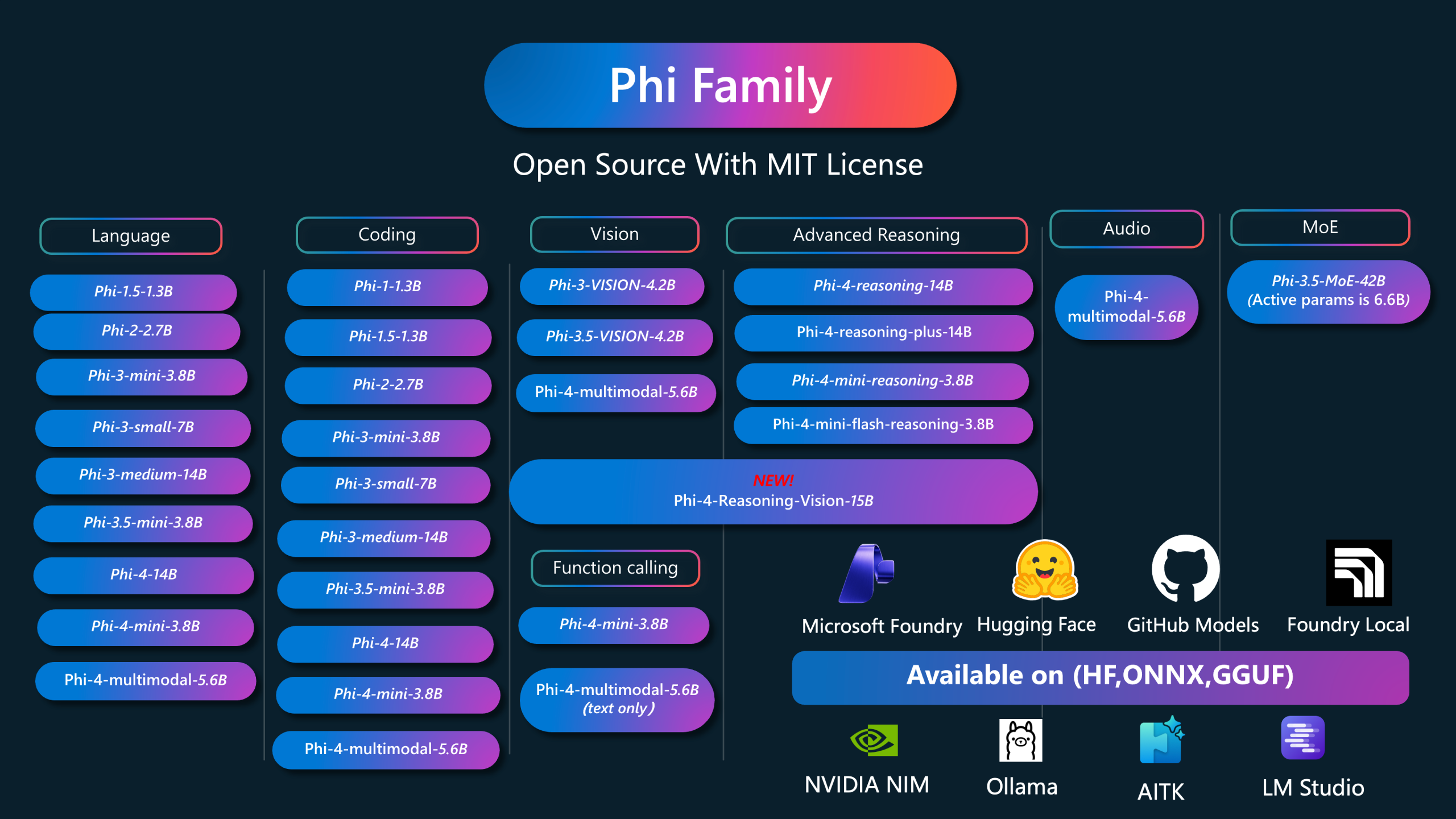
For applications where memory is tight, Phi-4-mini is a 3.8B-parameter model that doesn’t compromise performance. Tailored for lightweight local tasks like extraction, problem-solving, and function-related inquiries, it’s a stellar choice for building compact local assistants.
It’s crucial to select the Phi-4-mini-instruct model specifically, as other models under the Phi name may serve different functions.
Use Cases: Local question-answering, lightweight data handling, and simple computational tasks.
Installing Local Models Using Ollama
If you’ve decided to dive into the world of local models, Ollama is arguably the easiest entry point. With a simple install command, you can download and run a model straight from the terminal:
bash
ollama run gpt-oss:20b
Ollama provides access to a variety of models, including Gemma 4 and Qwen3-Coder, along with a local API to connect your setup to personal applications or coding agents seamlessly.
Frequently Asked Questions
Q1. Which model should I start with for coding?
The Qwen2.5-Coder-7B-Instruct is designed for coding tasks. Always test generated code for accuracy.
Q2. Does local inference keep everything private?
While the model runs on your device, be mindful of connected tools and application telemetry, which might collect data.
Q3. Are these the newest models available?
This selection includes both established releases and newer options tailored for different use cases, depending on your needs and hardware.
With these insights, you’re now equipped to choose the best locally hosted AI model for your specific use case, empowering you to harness the full potential of AI right on your device!
Inspired by: Source


