


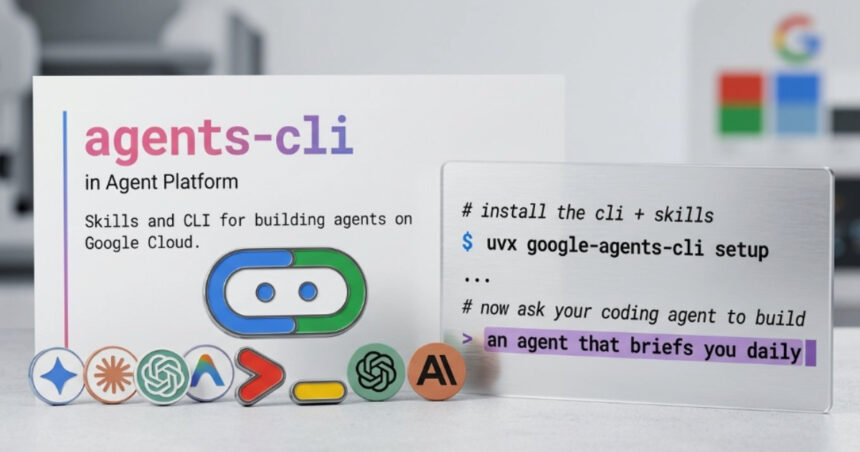
Streamlining AI Development with Google Cloud’s Agents CLI
In the ever-evolving landscape of artificial intelligence, Google Cloud has taken a significant step forward by introducing the Agents CLI within its Agent Platform. This innovative tool is designed to enhance the development lifecycle of AI agents, seamlessly bridging the gap from local prototyping to production deployment. By tackling the common obstacles in agent development—especially the fragmented tooling and infrastructure—Agents CLI is poised to revolutionize how developers approach AI solutions.
A Unified Interface for Coding Agents
The Agents CLI integrates robustly with popular coding agents like Gemini CLI, Claude Code, and Cursor, offering a cohesive interface that simplifies interactions with Google Cloud services. This includes not just the Agent Platform but also Cloud Run and various infrastructure automation components. By providing a single point of access, Google Cloud aims to alleviate the challenges developers often face in managing different services and environments during their transition from experimentation to fully functional production systems.
Efficient Project Setup with Minimal Overhead
A standout feature of the Agents CLI is its programmatic layer that allows coding agents to tap into predefined “skills” and API references. This capability enables developers to quickly initiate projects with minimal prompts and reduced manual configuration. Rather than having to comb through extensive context or documentation, developers—or their AI-assisted tooling—can effortlessly set up workflows and deployment configurations using a streamlined series of CLI commands.
Reducing Context Overhead for More Deterministic Interactions
A major objective of the Agents CLI is to minimize context overhead. In many traditional setups, coding agents are often left to infer how various cloud services interconnect. This can lead to inefficient iterations and heightened token usage. By embedding structured knowledge directly within the CLI, Google Cloud is facilitating more predictable interactions, empowering developers to focus on building rather than troubleshooting inter-service communications.
Built-in Support for Local Simulation and Evaluation
Testing and reliability are paramount in agent-based systems. The Agents CLI includes features that support local simulation and evaluation, allowing developers to run pipelines for output comparisons across different runs. This capability enables validation of agent behavior against established datasets before moving to deployment. Highlighting the commitment to ensuring accuracy and consistency, the CLI paves the way for reliable AI-driven solutions.
Automating Infrastructure for Seamless Deployment
Deployment is a critical phase in the development cycle, and the Agents CLI streamlines this by automating infrastructure provisioning and release workflows. It can generate Infrastructure as Code (IaC), configure continuous integration/continuous delivery (CI/CD) pipelines, and facilitate deployment to managed environments such as Cloud Run or Kubernetes. Furthermore, the CLI supports publishing agents to enterprise environments with seamless integration into Gemini Enterprise, enhancing operational efficiency.
Human Mode: Balancing Automation with Control
The introduction of Human Mode is another noteworthy addition to the Agents CLI toolkit. This feature allows developers to execute CLI commands directly, rather than depending entirely on agent-driven automation. Human Mode ensures that developers retain visibility and control over workflows, addressing common concerns about transparency in fully autonomous systems. As noted by community member Shivam M., this mode provides a crucial way to verify agent activity without treating it as a black box.
Community Reception and Future Potential
Initial reactions from the developer community have been overwhelmingly positive, underscoring the efficiency gains that come with the Agents CLI. Hina Arora remarked on the substantial leap forward this tool represents, emphasizing how it makes building, deploying, and managing agents significantly more straightforward. This sentiment reflects a broader trend of matured agent tooling and the growing sophistication of AI development environments.
Getting Started with Agents CLI
For those eager to adopt this game-changing tool, getting started with Agents CLI is a breeze. A simple installation command sets the stage for utilizing built-in workflows designed for creating projects, executing evaluations, and deploying agents. Google Cloud also offers extensive documentation and a dedicated GitHub repository to further guide developers as they navigate this transformative landscape.
Inspired by: Source
- A Unified Interface for Coding Agents
- Efficient Project Setup with Minimal Overhead
- Reducing Context Overhead for More Deterministic Interactions
- Built-in Support for Local Simulation and Evaluation
- Automating Infrastructure for Seamless Deployment
- Human Mode: Balancing Automation with Control
- Community Reception and Future Potential
- Getting Started with Agents CLI


