


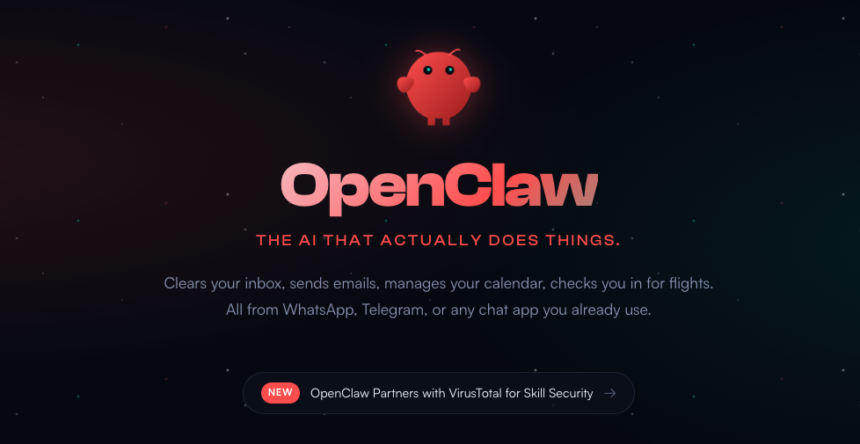
Discovering OpenClaw: The Next Generation of AI Assistants
OpenClaw, once known as Moltbot and Clawdbot, has emerged as a compelling entry in the world of AI tools, especially for tech enthusiasts. In recent months, it has captivated a growing crowd who believe it finally delivers on the promise of what an agent AI can be. Its open-source nature and unique operational setup set it apart from prevailing AI solutions, making it a noteworthy contender in the digital assistant landscape.
What Sets OpenClaw Apart?
Unlike many AI agents that operate solely in the cloud, OpenClaw is designed to run on your local device. This architecture not only addresses privacy concerns, allowing users more control over their data, but also introduces a layer of complexity that can deter less tech-savvy individuals. The allure of having a personal assistant that resides on your computer could be enticing, yet it comes with inherent risks. Malicious actors might exploit vulnerabilities, and a tool with high-level access to your system could behave unpredictively. Initially, I was drawn to OpenClaw’s browser-based version, providing an easier entry point at the cost of some of its powerful features.
Understanding OpenClaw’s Origins
Launched in November 2025 by Austrian coder Peter Steinberger, OpenClaw has a playful backstory tied to its name. The original name, Clawd, was a nod to the popular AI bot Claude, but the company behind Claude, Anthropic, requested a change. Steinberger briefly rebranded it as Moltbot before settling on OpenClaw, borrowing inspiration from the molting process of lobsters. This playful naming reflects the developer’s innovative spirit and the tool’s potential for growth and adaptation.
Features and Capabilities
OpenClaw functions as a multi-faceted digital assistant capable of performing various tasks. Whether you need to order groceries, monitor emails, or assist with class preparations, OpenClaw is designed to streamline these activities. For educators specifically, it has functionalities that can aid in lesson planning, assist in class management, and even analyze student engagement trends—albeit, with necessary safeguards around sensitive student data.
The communication aspect is a highlight; you can interface with OpenClaw through various messaging applications. Whether you’re on a coffee break or in between lectures, your assistant is there to lighten your load.
More Read

Cost and Accessibility
One of the most appealing aspects of OpenClaw is that it remains free and open-source. However, subtle nuances demand some level of technical expertise for installation and setup. For those less inclined towards tech, the emergence of browser-based access can simplify the initial hurdles. Still, this approach may compromise some of the tool’s security and operational capabilities.
Caution is warranted here; certain unofficial sites surprisingly mimic OpenClaw’s official design, raising red flags about trustworthiness. Diving into the world of OpenClaw requires careful scrutiny to avoid potential pitfalls.
Performance Evaluation
Though limited by not utilizing its full capabilities, my experience with OpenClaw was overwhelmingly positive. I found it adept at looking up various options for accommodations during an upcoming academic conference, distinguishing itself from other AI agents by offering coherent summaries of each listing’s strengths.
Furthermore, OpenClaw was efficient in aggregating lesson plans focused on teaching writing, showcasing its research prowess. From summarizing research on AI tutors to dealing with complex topics like quantum mechanics, OpenClaw demonstrated a depth of understanding that matched or exceeded other AI tools I have used.
Usability Insights
While OpenClaw may not be indispensable, it presents itself as a robust option for educators and tech enthusiasts alike. Its unique balance between functionality and privacy control offers an attractive proposition, especially for those eager to explore innovative AI solutions.
Moreover, as the landscape of AI assistants continues evolving, it’s evident that tools like OpenClaw may significantly enhance teaching practices, improving overall engagement and efficiency in the classroom.
By monitoring when and how these tools develop, less tech-savvy users might find future iterations more accessible and user-friendly, enabling broader adoption in educational settings.
Inspired by: Source


